
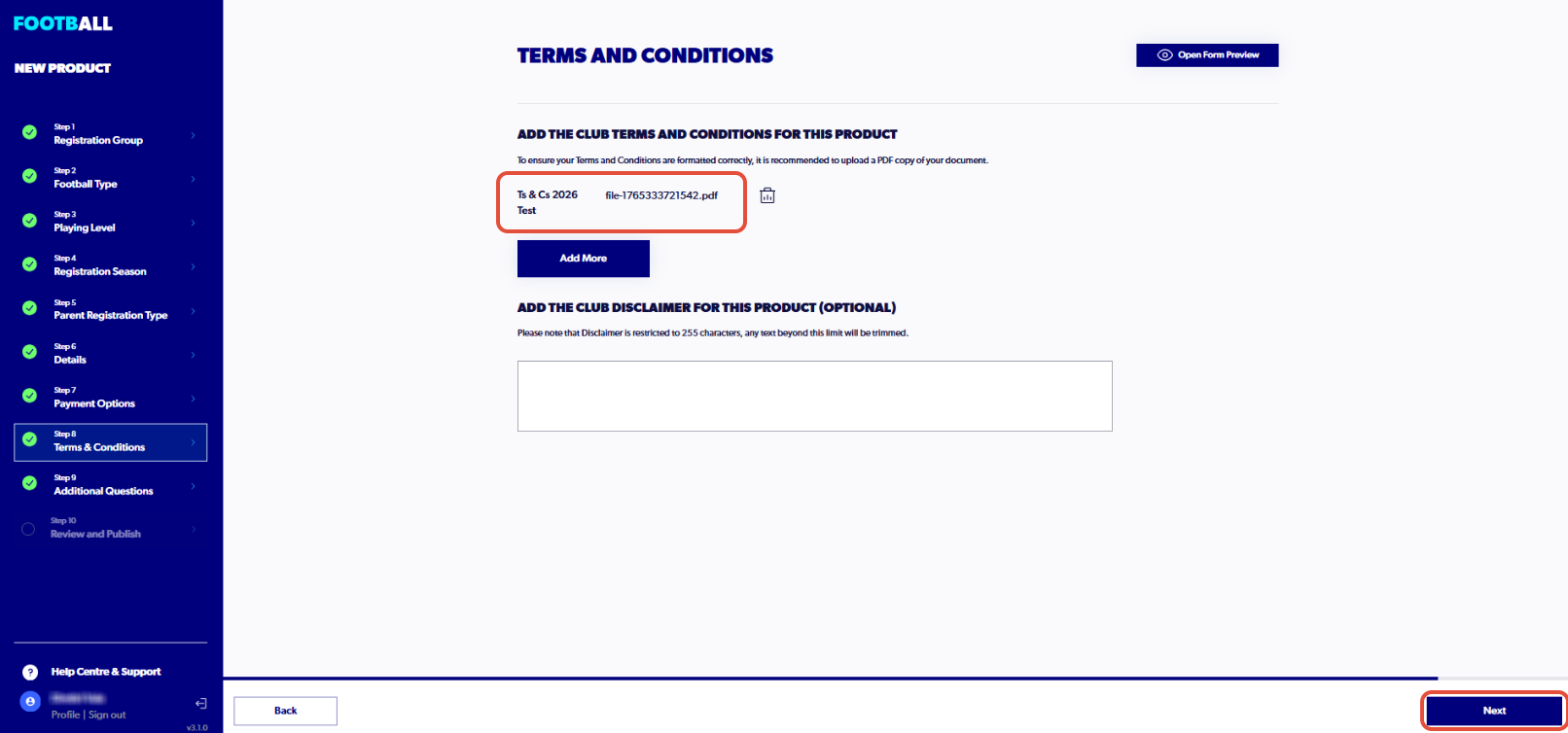
1. Click on "Terms and Conditions Title" and enter a title
The Terms and Conditions for each organisation must be uploaded while creating the registration type or product.

2. Select 'Upload a document from your device' or drag & drop a PDF


3. Click on "Upload"


4. Select "Next" to progress to the next step
5. Terms and Conditions - Review. Click on "edit" to adjust the Terms and Conditions at the organisations
Review and Publish allows administrators to review any steps including the terms and conditions
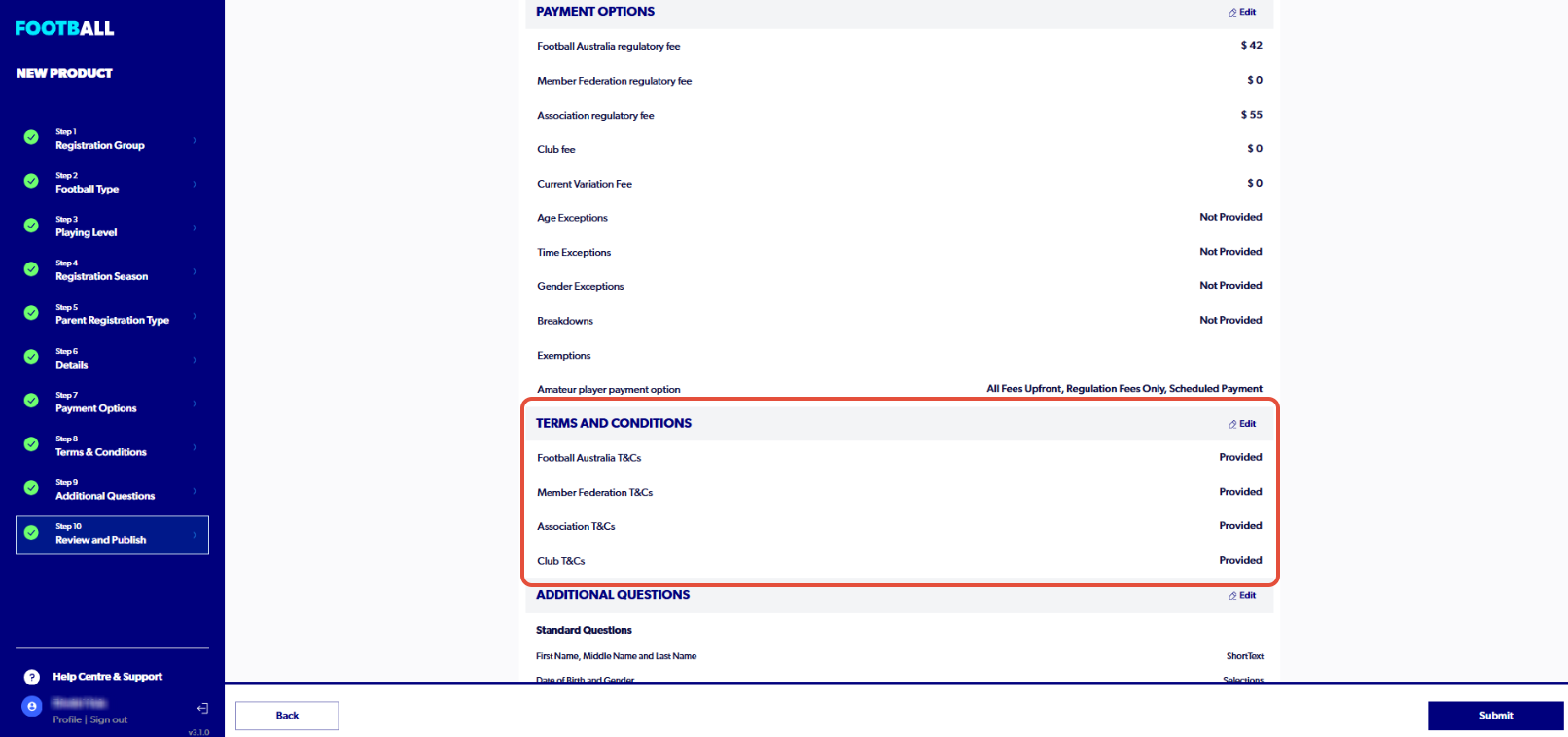
⚠️ If the terms and conditions section does not have a green tick despite uploading a a valid document, please delete and re-attach the document.