
This support article will provide a step-by-step guide to claiming your existing participant record.
If you do not have an existing participant record, please create a record by following the guide found here.
1. Sign in to PlayFootball HERE
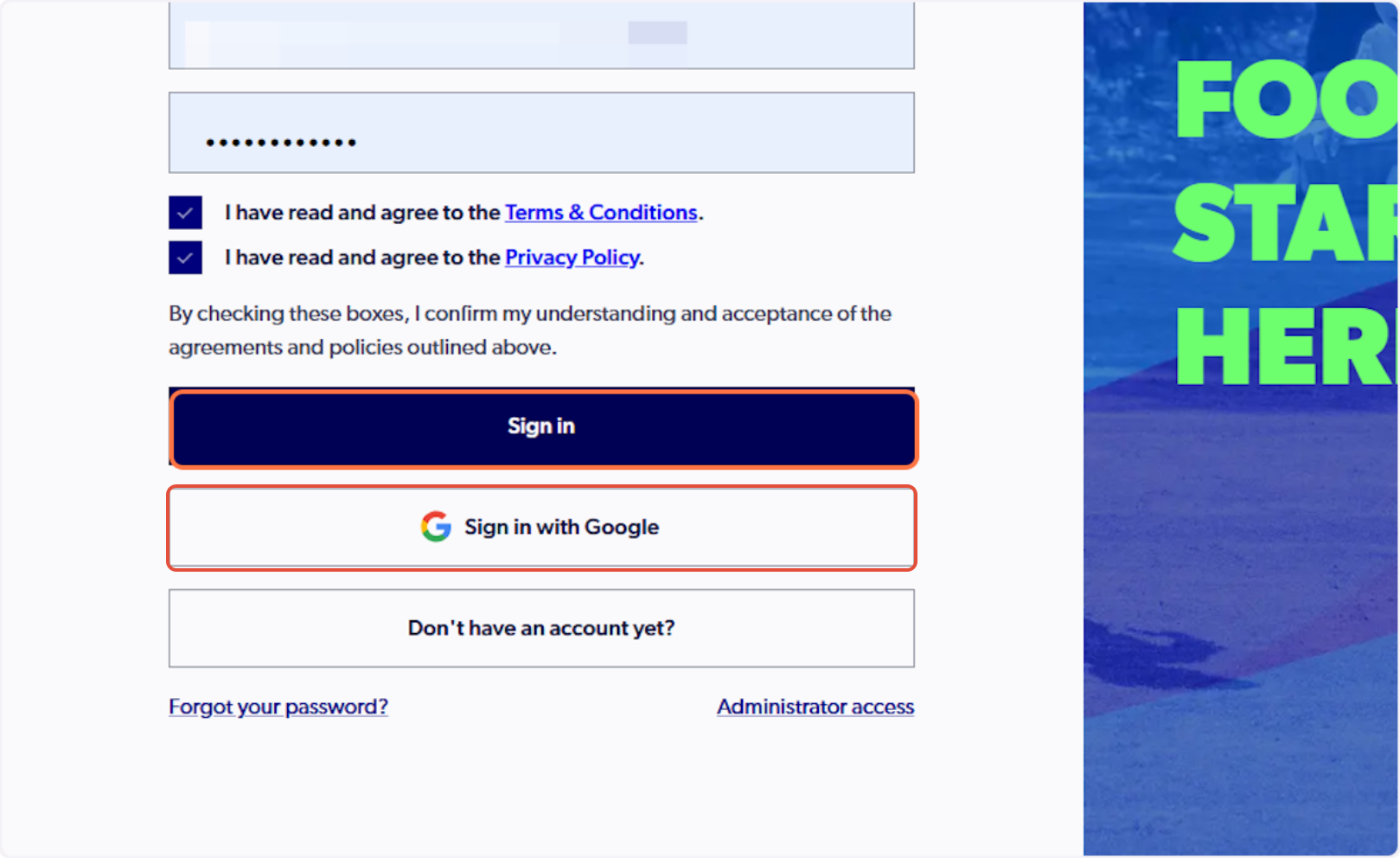
Please note: if you have created your account using Google, you must select 'Sign in with Google'
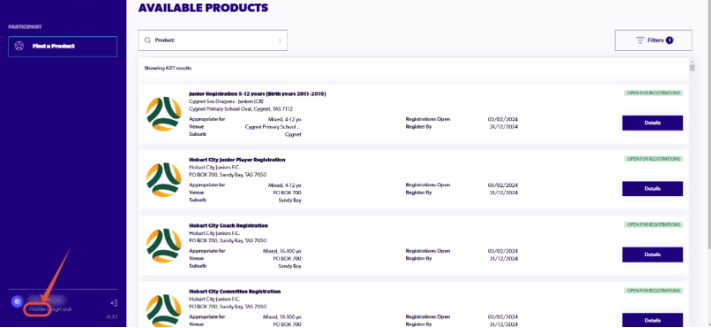
2. Select 'Profile' in the bottom left-hand side
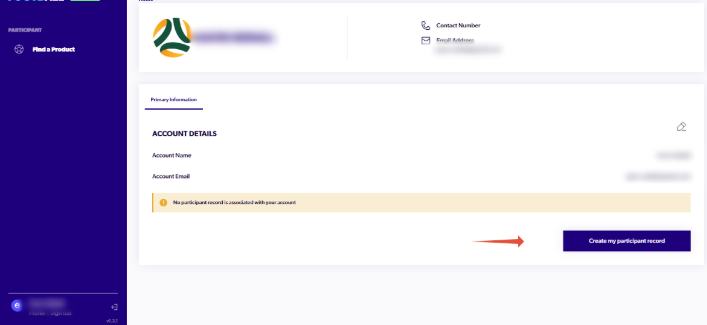
3. Select the 'Create my participant record' button
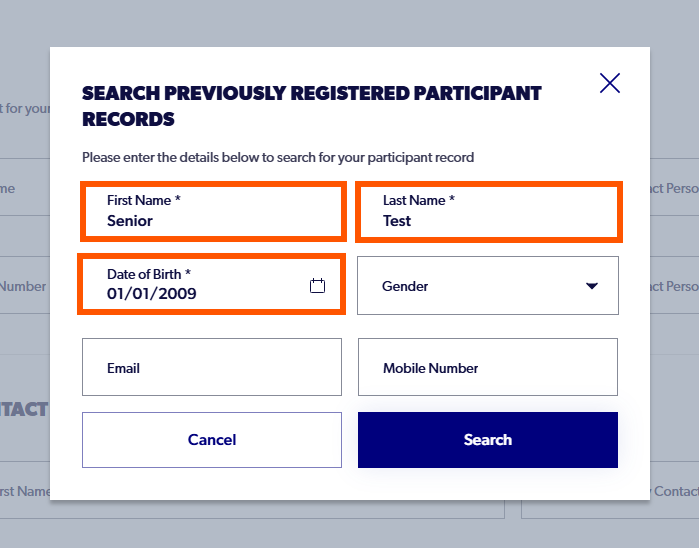
4. Enter the first name, last name, and date of birth only.
Please note: If you are a parent, please enter your personal details and not your child's. You can add family members to your account once your record has been claimed.
The search is case sensitive, please ensure there is no spaces before or after the details. Please do not enter the email address, mobile number, or gender.
5. Matching participant records will appear. Select the appropriate option and then 'next'
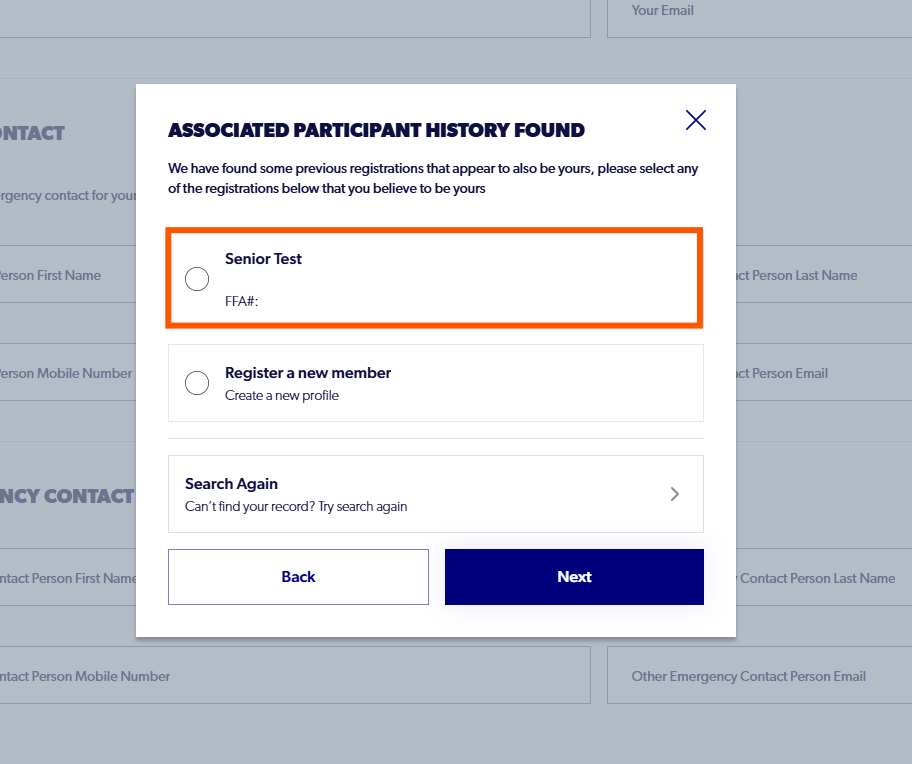
If no results are found, please select 'search again' and check for spelling errors or trailing spaces.
If this still does not generate a result and the participant has definitely registered with PlayFootball before, please contact our support team below.
6. Retrieve the code from your email address, enter the code and select 'Verify'
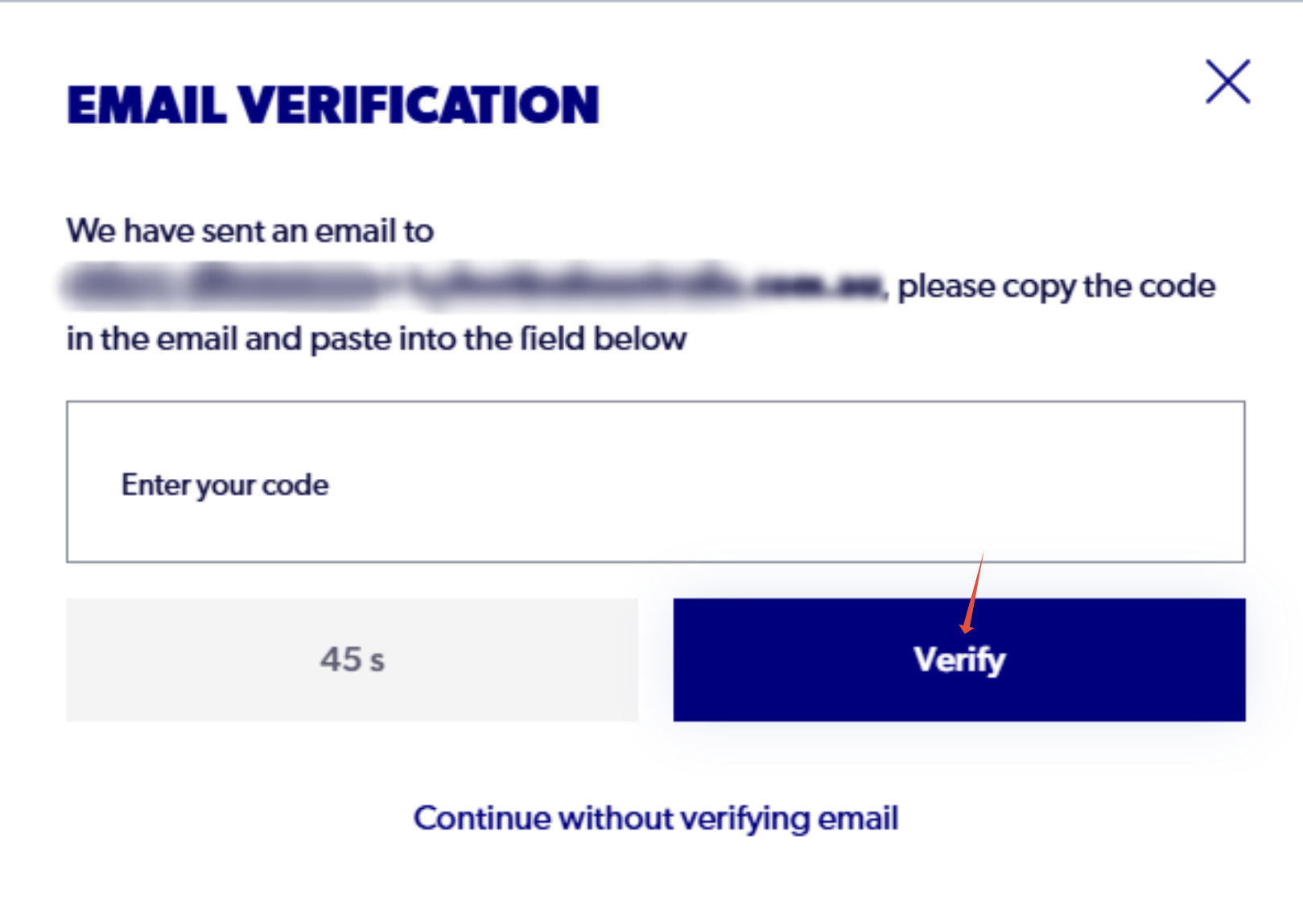
If you are using Gmail, please check the promotions tab.
Please also check spam or junk folders if you do not see this code within 60 seconds.
'Continue without verifying email' will create a new profile, please avoid selecting this option and contact our support team below for further assistance.
7. You have now claimed your existing participant record

If any further issues or help required please don't hesitate to contact us:
Email: support@playfootball.com.au
Phone: 02 8880 7983