Admin - How to Duplicate a Registration Product
Quick Summary: Locate the product you wish to duplicate, select the three dots, and click 'Duplicate.' A draft registration will appear at the top of your products that you can edit.
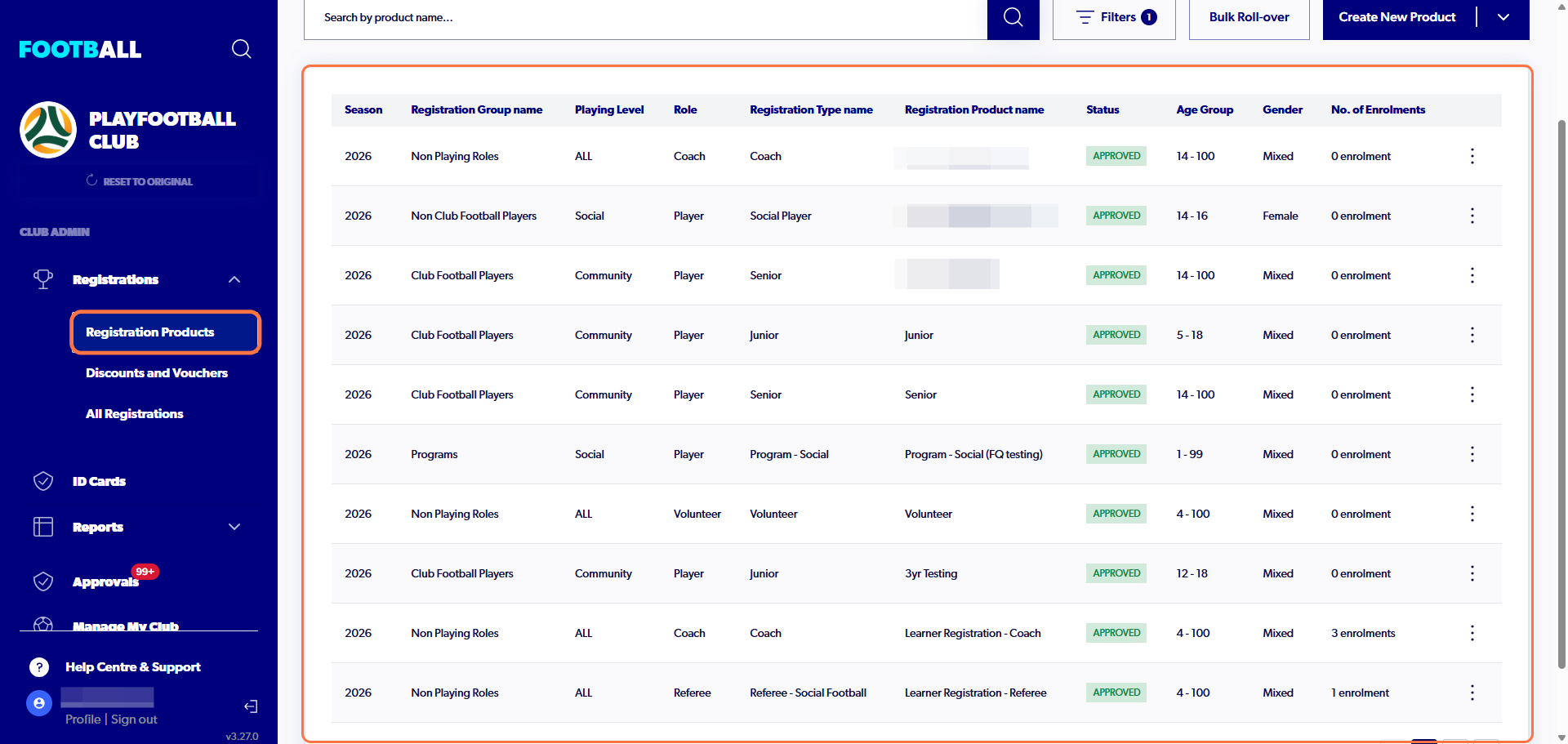
1. Sign in to your admin profile and click on 'Registration Products'
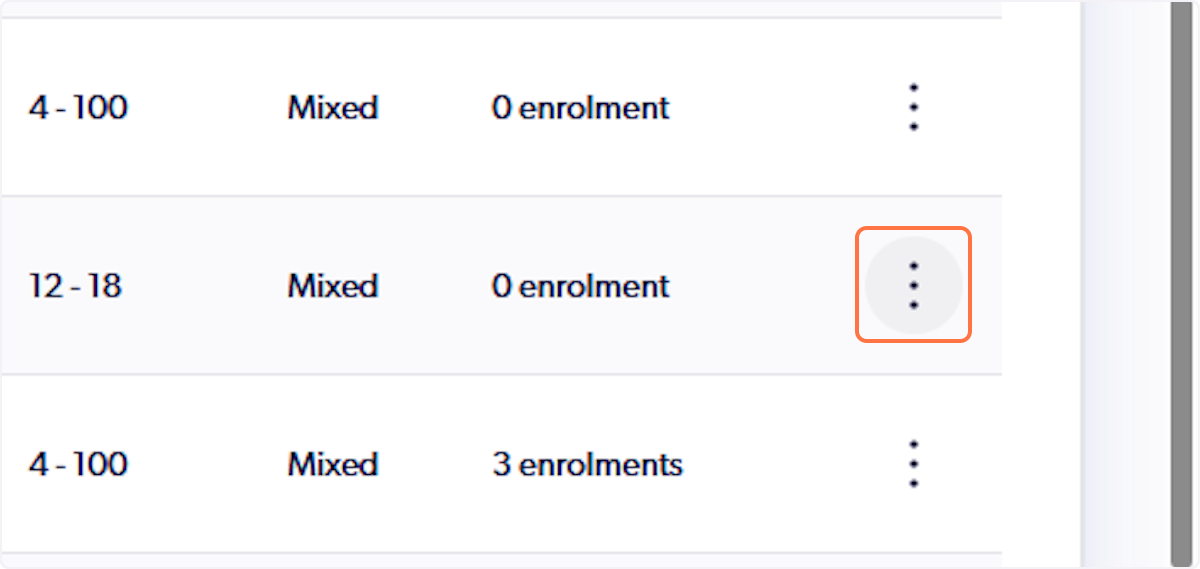
2. Click on three dots next to the registration product you wish to duplicate
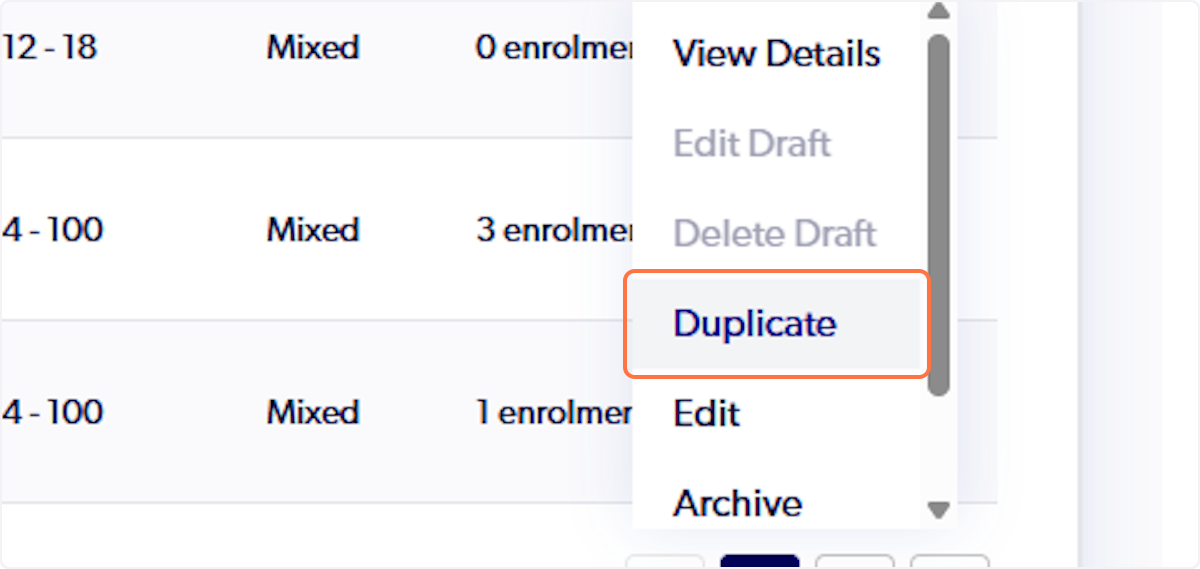
3. Click on 'Duplicate'
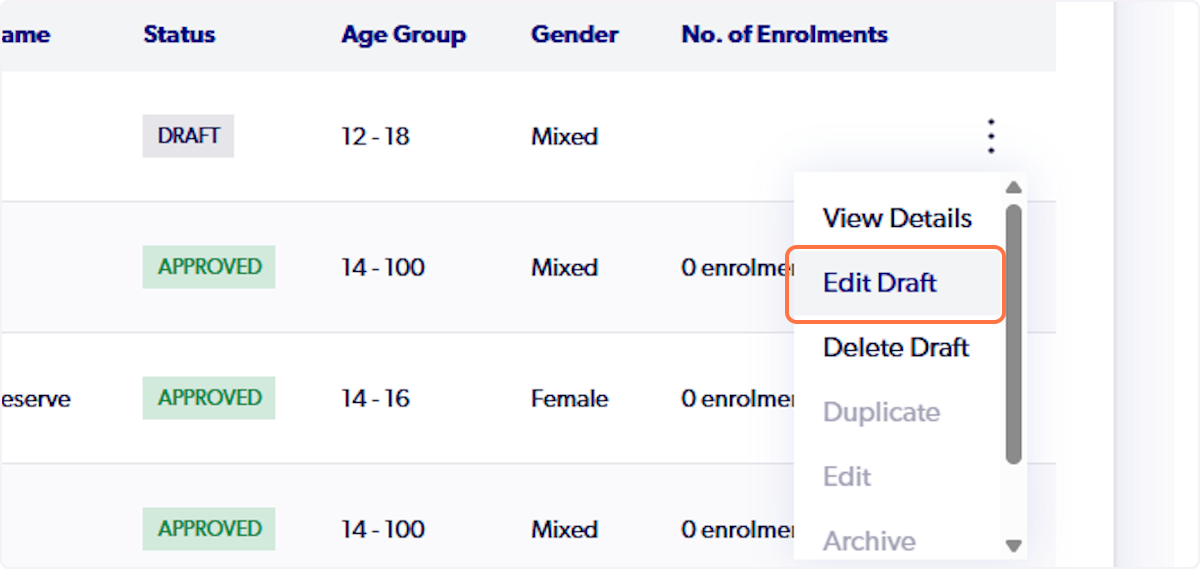
4. A draft registration will appear at the top of your product list. To make changes to the registration click on the three dots next to it
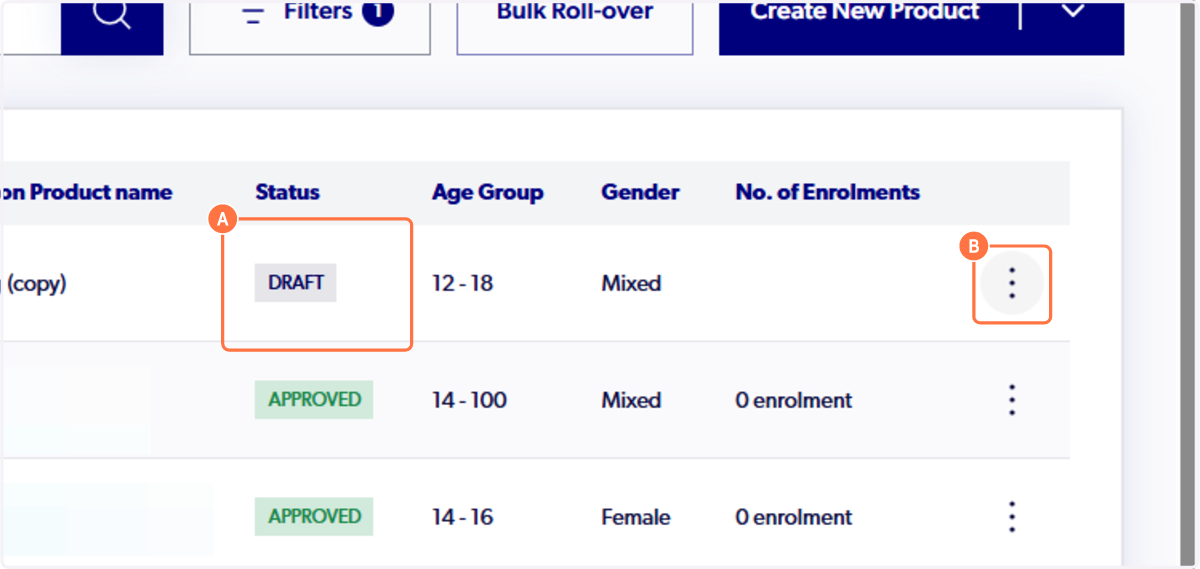
5. Click on 'Edit Draft'
Did you find it helpful?
Yes
No
Send feedback Sorry we couldn't be helpful. Help us improve this article with your feedback.
